Eye spacing
100 / 100 in the geometry profile.
See a framing direction, compare hairstyle concepts and explore a plan you can try. Open the measured diagrams whenever you want the evidence.
An AI-created adult example, analyzed by FaceRater’s actual measurement engine.
MediaPipe maps 478 landmarks on your device. FaceRater calculates the readings with its geometry formula, then combines related measurements and capture warnings into regional interpretations, hair-framing and eyewear comparisons, manual color pairings and a personal styling plan around your selected preferences. You can compare a second photo on-device in the complete web report; this temporary comparison is not saved or included in the PDF. Six personal Sunburst High hairstyle concepts are generated separately when you request them. The report text is not written by a generative AI model.
Yes. In the complete web report, choose a second photo of the same person to compare five regional photo diagrams and eight geometry readings. The second scan runs on your device and uses no AI image credits. Capture warnings help you check camera, pose and expression differences; the changes are not improvement grades. This comparison stays only in the open report view. It is not saved to your account, share card or PDF, and leaving the report or reloading clears it.
The color studio lets you compare four palette families around your unchanged portrait and save the colors you prefer. You choose the pairing; it does not automatically assign a 12-season color type.
Download your PDF from the web report. It includes your measurements, illustrated regional explanations, plan and personal hairstyle concepts already delivered when you export. Generate your included concepts in the report first to include all six. You can also download each hairstyle JPEG on its own. The temporary second-photo comparison is not included. Exporting a PDF does not create a new image-generation request or require another purchase.
Get a private photo-based face rating and the measured geometry behind it.
Oval outline · 26 measured readings
Explore your strongest features below.
100 / 100 in the geometry profile.
A starting point for hair and frame choices.
Compare hair framing, glasses and colors on your own terms. Each direction gives you two options, a small change to try and a way to choose.
Preparing your photo detail…
Visible face length / width 1.24 : 1
Jaw / cheekbone width 0.77 : 1
Your oval outline leaves room to compare two framing effects. The useful choice is where you want the hair to sit around your features.
Tuck the front sections back so the brows and outline stay open; keep the current length.
Check the whole head-and-shoulders view. Keep the silhouette you prefer and can maintain.
A front photo cannot identify hair texture, growth direction or the upkeep of a real cut. Take your shortlist to a stylist before committing.
Preparing your photo detail…
Eye spacing / eye width 1.18 : 1
Left / right eye width 0.97 : 1
Left image eye tilt 5.7 °
Right image eye tilt 6.5 °
Your eye-spacing diagram shows where the frame sits around the eyes. Compare two rim treatments without trying to change your eye angle.
Try a thin or lighter-colored pair you own, or keep the same photo without glasses. Leave the brows visible.
Check that the eyes remain easy to see, the bridge feels comfortable and the frame does not touch the cheeks when you smile.
These are styling options, not a prescription or fit measurement. An optician checks bridge, temple and lens fit; no new frame purchase is required.

Compare color around the same unchanged portrait. This lets you judge the effect of a top or accessory without mistaking lighting or edited skin for a result.
Open the color studio and compare Soft earth with Cool & muted. Save a pairing, then hold a similar top or scarf near your face in daylight.
Look at the eyes and jaw boundaries, then choose the version you enjoy wearing. The report does not infer a season from your face.
Palette preference is chosen by you. Geometry does not determine undertone or a color season, and screen color is not a fabric match.
Preparing your photo detail…
The two corner angles read similarly at this photo’s scale. Use the spacing diagram to compare the position of glasses or hair around the eyes, rather than treating either tilt direction as something to correct.
Preparing your photo detail…
Length-to-width sits inside this version’s broad product band. There is no measurement-based reason to hide a region; compare two styles for the setting you actually care about.
Preparing your photo detail…
The inner-lip opening is small in this capture. Mouth width and paired corners can still change with a smile; use a relaxed image for measurement and choose a social photo by the expression you prefer.
Six geometry dimensions from this photo. The full breakdown explains what each number measures.
Two familiar versions of you. Each is built from one photographed half, reflected along the same measured axis.
Preparing mirrored view…
Preparing mirrored view…
Your twelve point pairs average 0.73% of cheek width in reflected difference. The outer brows comparison is largest at 1.22%; inspect that region in the unchanged photo before drawing a conclusion from the mirrored impression.
Try this: Keep the camera level, relax your expression and take one matched repeat. Use the comparison below to see whether the same region stands out. Hair and lighting can make the mirrored faces feel more different than the measured points suggest.
The bars share one scale: difference as a percentage of cheek width. Expression and light remain part of the photograph.
Jump to a region when you want the diagram behind an explanation. Your styles, plan and photo comparison are ready to explore too.
Use these five chapters as supporting evidence. Start with the region relevant to your question; you do not need to optimize every number.
Start with a framing preference, not a correction.
Preparing your photo view…
Product band 1.1–1.5 Within band in this photo
Upper visible forehead landmark to chin divided by cheek width. The hairline is not detected.
Inside this version's selected product band. The band is a broad comparison aid, not a population norm or a target you need to reach.
Length-to-width sits inside this version’s broad product band. There is no measurement-based reason to hide a region; compare two styles for the setting you actually care about.
Your visible length-to-width reading is 1.24 : 1. The upper, middle and lower visible bands read 31.4 / 31.2 / 37.4% of the mapped height.
Length/width 1.24 : 1 and jaw/cheek 0.77 : 1 describe a gently tapered visible frame together.
The lower visible band is largest (37.4%). This starts at a mesh forehead point, so it does not establish your hairline height.
The upper anchor is a visible forehead mesh point, not the hairline. These three bands are not anatomical facial thirds or universal ideals.
How to choose: Keep the silhouette you prefer with your shoulders and outfit visible. A change in the measured ratio is not the goal.
Compare a second photoMore height or width changes the surrounding frame and may take longer to maintain. A front photo does not reveal hair texture or how a cut behaves in motion.
Keep the eye corners visible when comparing frames.
Preparing your photo view…
Product band 0.85–1.45 Within band in this photo
Inner-corner distance divided by average visible eye width.
Inside this version's selected product band. The band is a broad comparison aid, not a population norm or a target you need to reach.
Lower means closer reflected alignment in this photo. These percentages are differences relative to cheek width.
The two corner angles read similarly at this photo’s scale. Use the spacing diagram to compare the position of glasses or hair around the eyes, rather than treating either tilt direction as something to correct.
The inner-eye gap relative to mean eye width reads 1.18 : 1. The photo-left and photo-right corner angles are 5.7 ° and 6.5 °.
Gap/mean eye width 1.18 : 1; width ratio 0.97 : 1. Similar visible widths make the spacing comparison easier to read in this view.
Photo-left 5.7 ° and photo-right 6.5 ° differ by 0.9°. The outer brows comparison has the largest reflected difference in this region (1.22% of cheek width).
Left and right refer to the photograph. Corner angles are corrected for fitted head roll; they do not grade eye shape. Expression and camera pitch can still change the readings.
How to choose: Choose the framing that keeps the eyes clear and feels comfortable. Small angle differences alone are not a reason to reshape brows.
Compare a second photoGlasses, reflections and expressions change the visible outline. This test cannot determine prescription fit or an ideal brow shape.
Read nose width together with its mouth reference.
Preparing your photo detail…
Product band 0.58–0.94 Within band in this photo
Visible nose-wing width relative to mouth width. Nose projection needs a side photo.
Inside this version's selected product band. The band is a broad comparison aid, not a population norm or a target you need to reach.
Lower means closer reflected alignment in this photo. These percentages are differences relative to cheek width.
The nose-to-mouth ratio describes two visible spans, not the nose in isolation. Check their endpoints together; a lower-ranked score in this dimension does not establish a feature that needs changing.
Nose-wing width relative to mouth width reads 0.61 : 1. The diagram shows both spans on the original photograph.
Nose/mouth 0.61 : 1 alongside mouth/cheek 0.41 : 1. Together these imply a nose-wing span of 25.0% of cheek width. A wider mouth can lower the first ratio without a narrower nose.
Nose-wing reflected difference 0.35 % width; inner-lip opening 0.00 : 1. Keep the relaxed expression when making a comparison.
A front photo does not establish nose projection, bridge profile or physical depth. A visible width ratio is not a side-profile assessment.
How to choose: Choose the amount of central emphasis you prefer, checking the whole face rather than the nose score. Comfort still comes first.
Compare a second photoFrame style changes visual emphasis; it cannot change nose anatomy or establish prescription fit. A front photo does not measure nose projection.
Separate mouth width from expression.
Preparing your photo detail…
Visible gap between the inner lips, useful for interpreting expression.
This is the inner-lip opening in this expression, divided by mouth width. It does not describe lip volume.
Product band 0.3–0.48 Within band in this photo
Lower means closer reflected alignment in this photo. These percentages are differences relative to cheek width.
The inner-lip opening is small in this capture. Mouth width and paired corners can still change with a smile; use a relaxed image for measurement and choose a social photo by the expression you prefer.
The inner-lip gap reads 0.00 : 1 of mouth width. Mouth width relative to cheek width reads 0.41 : 1. These describe the expression captured here.
Inner opening/mouth width 0.00 : 1 and mouth/cheek 0.41 : 1 measure different things: opening versus horizontal span.
Mouth-corner reflected difference 0.63 % width. Small predicted differences can come from expression; a matched repeat is more informative than trying to force perfect alignment.
Lip aperture measures the open gap between the inner lips. It is not lip fullness, volume or an assessment of the lip border. A smile can change both readings.
How to choose: Keep both for their different jobs. A smile changing geometry does not make it a worse social photo.
Compare a second photoThe landmark score does not measure warmth or whether a smile feels authentic. Inner-lip aperture is not lip volume.
Try the surrounding frame before changing anything else.
Preparing your photo view…
Product band 0.67–0.95 Within band in this photo
Front-view width only. A profile gonial angle cannot be measured from this photograph.
Inside this version's selected product band. The band is a broad comparison aid, not a population norm or a target you need to reach.
Lower means closer reflected alignment in this photo. These percentages are differences relative to cheek width.
The jaw and cheek spans describe a moderate taper. Read it with the overall window rather than treating the face-shape label as a fixed prescription.
Jaw-anchor width relative to cheek width reads 0.77 : 1. The visible outline is classified closest to oval in this version.
Jaw/cheek 0.77 : 1 with length/width 1.24 : 1; the lower visible band occupies 37.4 %. These readings explain why a single outline label leaves detail out.
The lower jaw comparison has this region’s largest reflected difference (0.66% of cheek width). Check posture and visibility before interpreting it as lasting asymmetry.
The width anchors are predicted points in a two-dimensional photo. They do not establish bone width, chin depth or a true profile gonial angle.
How to choose: Keep the frame you prefer for the occasion and can wear comfortably. Your lower-face ratio does not need to move.
Compare a second photoClothing and hair alter the surrounding frame. A front photo cannot establish chin depth, bone width or a profile jaw angle.
Includes twelve paired comparisons. Individual rows are not independent attractiveness traits.
| Reading | Value | Definition |
|---|---|---|
| 95 / 100 | An average of 12 reflected landmark-pair differences, normalized to cheek width. | |
| 1.24 : 1 | Upper visible forehead landmark to chin divided by cheek width. The hairline is not detected. | |
| 1.18 : 1 | Inner-corner distance divided by average visible eye width. | |
| 5.7 ° | Eye-corner angle after correcting head roll. This measurement is not an attractiveness grade. | |
| 6.5 ° | Eye-corner angle after correcting head roll; left and right refer to the photograph. | |
| 0.77 : 1 | Front-view width only. A profile gonial angle cannot be measured from this photograph. | |
| 0.41 : 1 | Mouth-corner distance relative to cheek width. Expression can change this reading. | |
| 0.61 : 1 | Visible nose-wing width relative to mouth width. Nose projection needs a side photo. | |
| 31.4 % | Visible forehead–brow–nose–chin split. Descriptive only; it does not identify the hairline or an ideal. | |
| 31.2 % | Visible forehead–brow–nose–chin split. Descriptive only; it does not identify the hairline or an ideal. | |
| 37.4 % | Visible forehead–brow–nose–chin split. Descriptive only; it does not identify the hairline or an ideal. | |
| 0.3 ° | Rotation removed before comparing landmark positions. | |
| 0.97 : 1 | Visible opening-width balance. This changes with head turn and eyelid position. | |
| 0.00 : 1 | Visible gap between the inner lips, useful for interpreting expression. | |
| 1.14 % width | Difference between this landmark pair reflected across the fitted face axis. Lower means closer alignment in this photo. | |
| 0.54 % width | Difference between this landmark pair reflected across the fitted face axis. Lower means closer alignment in this photo. | |
| 0.79 % width | Difference between this landmark pair reflected across the fitted face axis. Lower means closer alignment in this photo. | |
| 0.82 % width | Difference between this landmark pair reflected across the fitted face axis. Lower means closer alignment in this photo. | |
| 1.22 % width | Difference between this landmark pair reflected across the fitted face axis. Lower means closer alignment in this photo. | |
| 1.19 % width | Difference between this landmark pair reflected across the fitted face axis. Lower means closer alignment in this photo. | |
| 0.56 % width | Difference between this landmark pair reflected across the fitted face axis. Lower means closer alignment in this photo. | |
| 0.35 % width | Difference between this landmark pair reflected across the fitted face axis. Lower means closer alignment in this photo. | |
| 0.63 % width | Difference between this landmark pair reflected across the fitted face axis. Lower means closer alignment in this photo. | |
| 0.26 % width | Difference between this landmark pair reflected across the fitted face axis. Lower means closer alignment in this photo. | |
| 0.61 % width | Difference between this landmark pair reflected across the fitted face axis. Lower means closer alignment in this photo. | |
| 0.66 % width | Difference between this landmark pair reflected across the fitted face axis. Lower means closer alignment in this photo. |
See how light and local contrast vary across six sampled areas. Use the map to choose a more evenly lit photo for your next comparison.
Reading your photo’s pixels…
Blue · darker than sampled mean / Rose · brighter
Try different color frames around the same unedited portrait. Compare warmth, softness and contrast, then save a pairing you like.
Muted, warm colors. Both views use the same portrait pixels: the color around the face is the only change.
Try this: Look at the eye and jaw boundaries in each frame. Choose the combination you prefer, save it, then test a similar color with a top or accessory you already own in neutral daylight.
Screen brightness and your photo’s white balance affect this preview. Your choice is a wardrobe shortlist, not an automatic color-season diagnosis.
Muted, warm colors
One portrait. Six AI hairstyle concepts. Compare the looks, save your favorites, and build a shortlist for your stylist.
Included in your complete Face Report · $17.49 once
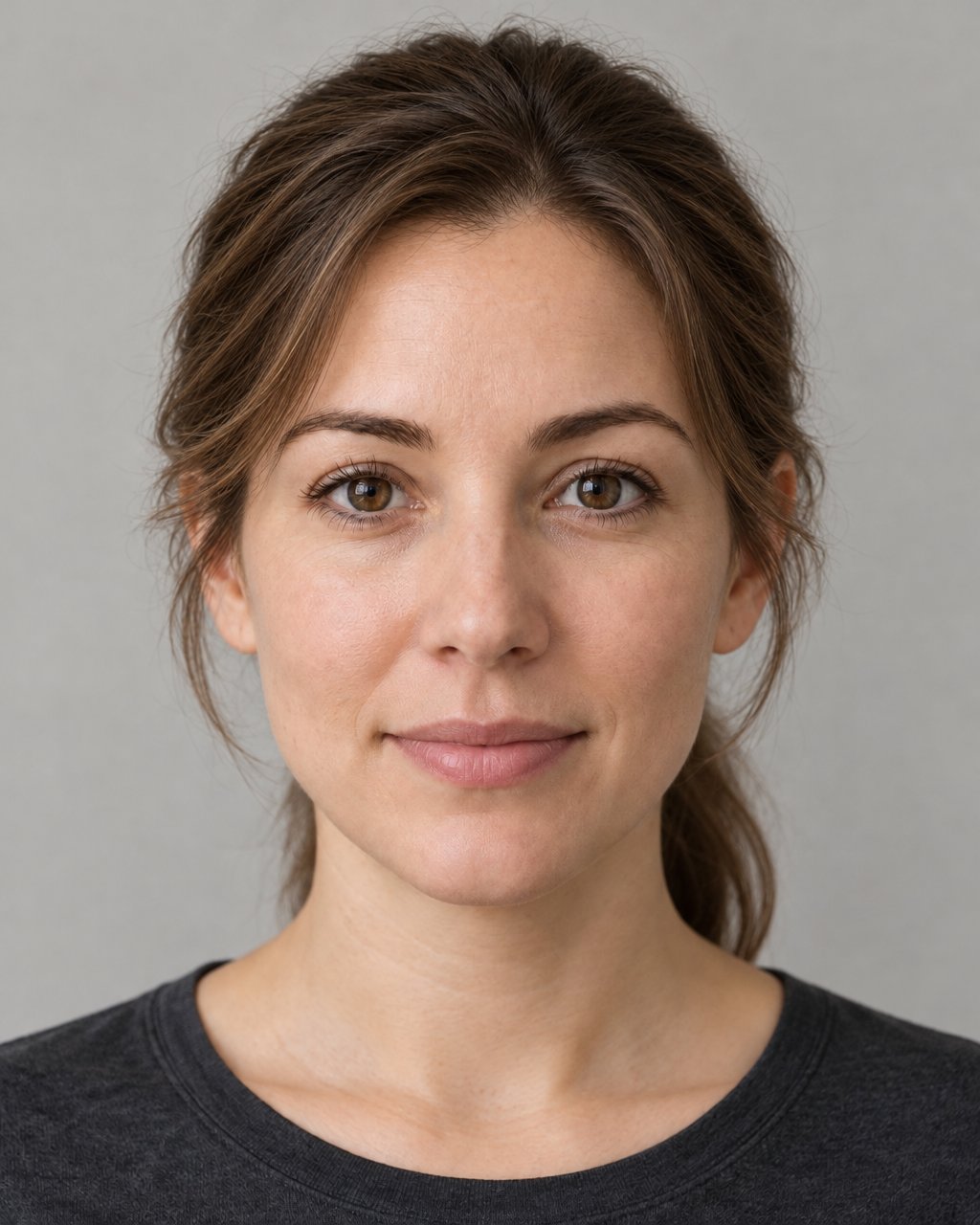 Sunburst · High
A little movement around the cheeks, with length you can keep.
Download this exampleShorter front pieces can need a quick restyle after sleeping.
 Sunburst · High
A fresh shoulder-length outline that still leaves styling options.
Download this exampleThis length may need heat styling to sit neatly at the shoulders.
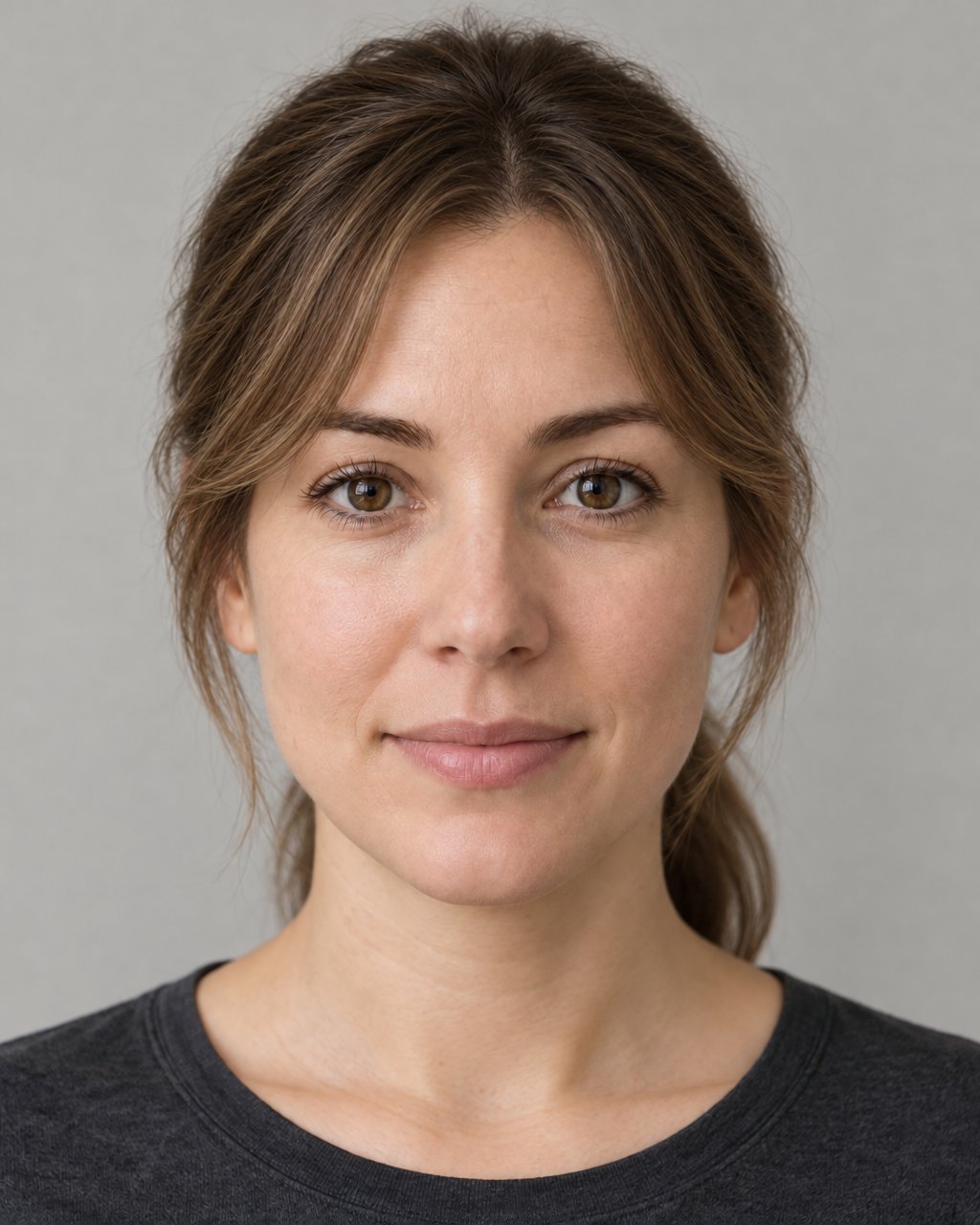 Sunburst · High
A softer frame around the brow and temples without a full fringe.
Download this exampleThe fringe usually needs a little daily styling.
 Sunburst · High
A clean shorter silhouette, with the face kept in focus.
Download this exampleA shorter outline needs regular trims to keep its shape.
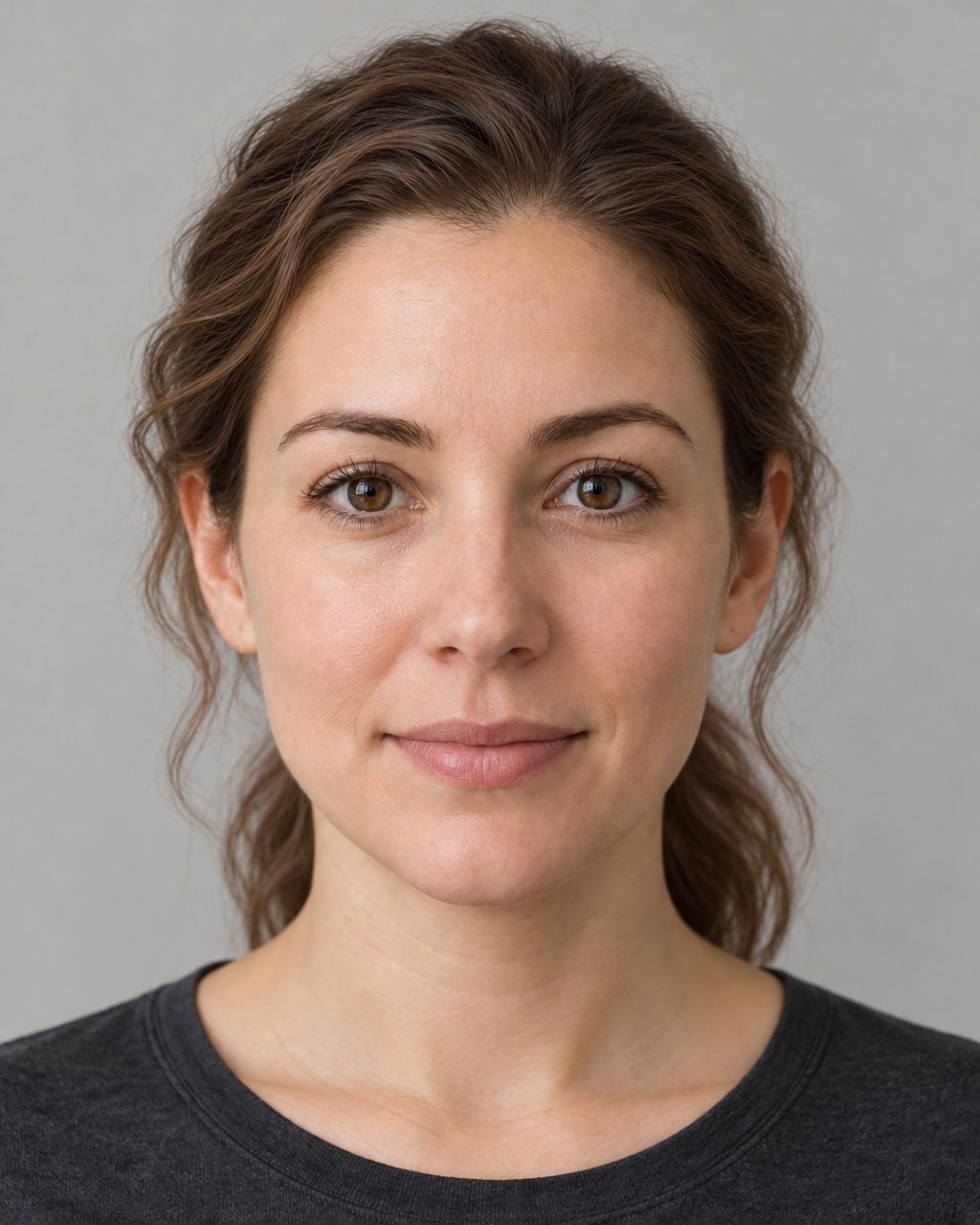 Sunburst · High
An easy way to compare softer texture before changing the cut.
Download this exampleThe result depends on natural texture, styling and humidity.
 Sunburst · High
An expressive short cut that opens up the face and neckline.
Download this exampleThe biggest length change in this set; growing it out takes time.
Use “Love it” to collect a few ideas. The sample never claims that a haircut will increase your face score.
Actual Sunburst High edits of the same adult demonstration portrait used in the report. Source: FaceRater · AI-created example. AI can change facial details. Six personal hairstyle concepts are included in the complete Face Report.
New report checkout is temporarily unavailable. Free scans, the complete sample and saved reports remain available.
Explore the complete reportPreparing your photo detail…
Visible face length / width: 1.24 : 1 · Jaw / cheekbone width: 0.77 : 1
Length-to-width sits inside this version’s broad product band. There is no measurement-based reason to hide a region; compare two styles for the setting you actually care about.
Start here: Move your usual part slightly to one side, keeping length unchanged.
Choose your daily time and maintenance preferences in the plan. Hair texture, current length and willingness to cut cannot be read reliably from these landmarks.
Choose a direction, try it with what you have, then keep your favorite. Go at your own pace; a new score is not the goal.
Hair, glasses or colors. Start with what matters to you.
Use what you have before buying a cut, frame or product.
See both looks together in the photo comparison.
Save your shortlist and the routine you can maintain.
Preparing your photo detail…
Your oval outline leaves room to compare two framing effects. The useful choice is where you want the hair to sit around your features.
Try it with a second photoStart with the standard plan, or choose what you want to explore. You can skip this and change your choices later.
Open forehead: Tuck the front sections back so the brows and outline stay open; keep the current length.
Your oval outline leaves room to compare two framing effects. The useful choice is where you want the hair to sit around your features.
Check the whole head-and-shoulders view. Keep the silhouette you prefer and can maintain.
One comparison when you are ready
Another way: Soft face-framing pieces: Bring two loose front sections forward beside the cheeks. Compare with the tucked-back version before making a cut.
The tradeoff: A front photo cannot identify hair texture, growth direction or the upkeep of a real cut. Take your shortlist to a stylist before committing.
Lighter visual frame: Try a thin or lighter-colored pair you own, or keep the same photo without glasses. Leave the brows visible.
Your eye-spacing diagram shows where the frame sits around the eyes. Compare two rim treatments without trying to change your eye angle.
Check that the eyes remain easy to see, the bridge feels comfortable and the frame does not touch the cheeks when you smile.
One comparison when you are ready
Another way: More defined upper rim: Compare a pair with a stronger top line or outer edge. Keep the head position and crop the same; existing photos work too.
The tradeoff: These are styling options, not a prescription or fit measurement. An optician checks bridge, temple and lens fit; no new frame purchase is required.
Soft & muted: Open the color studio and compare Soft earth with Cool & muted. Save a pairing, then hold a similar top or scarf near your face in daylight.
Compare color around the same unchanged portrait. This lets you judge the effect of a top or accessory without mistaking lighting or edited skin for a result.
Look at the eyes and jaw boundaries, then choose the version you enjoy wearing. The report does not infer a season from your face.
One comparison when you are ready
Another way: Clearer contrast: Compare Clear & bright with Deep classics in the studio. Try a similar color from your existing wardrobe before shopping.
The tradeoff: Palette preference is chosen by you. Geometry does not determine undertone or a color season, and screen color is not a fabric match.
Compare your options when you are ready. Save the looks you prefer and the routines you can comfortably maintain.
Styling preferences are personal; a change in score is not a change in your worth.
A standard starting point; add your own choices to tailor the middle steps.
After trying your options
Another way: Keep your current routine if the comparison is not useful.
The tradeoff: Judge comfort and your own preference; a score change is not proof of a better look.
Keep the changes that make you feel comfortable. A score does not define how people experience you.
Compare two photos of the same person using the same diagrams. Keep your original report; this second scan stays in this open report view and uses no AI image credits.
This sample uses the AI-created adult portrait above as its baseline. Use a second photo of the same example here; start your own report to compare your personal photos.
Use the same distance, light and relaxed expression.
A part, neckline or camera setup from your regional plan.
Inspect both photo diagrams and the actual reading differences.
MediaPipe estimates 478 facial landmark positions. FaceRater uses those positions to measure paired alignment and visible width ratios, after rotating the face into an upright coordinate frame.
These are FaceRater product weights and broad reference bands. Ratio scores vary continuously around each product band’s midpoint. These choices are not a scientifically universal attractiveness formula. Individual readings and the exact scoring version stay attached to your report.
New scans screen the prepared photo for clipped facial features, extreme exposure, obvious blur, enlarged pixels and eye regions with very little visible detail. A failed check asks for another photo before a score is shown or saved. These limited checks can miss problems; use a clear, unobstructed front photo and follow any retake note.
Current photo checks applied · photo-input-v1.
A front photo cannot reliably measure nose projection, a profile jaw angle, the true hairline, clinical skin conditions or attractiveness in real-life interactions. FaceRater reports these limits instead of inventing a measurement.
Lighting, camera distance, head turn and expression change a 2D image. Compare photos in the same conditions. A small score change does not prove that a face changed.