How to take a photo for face analysis
Use even light, a level camera and a clear front view. See a measured portrait example and follow a checklist for your next face analysis photo.
What changes when the same image is tilted?
Two versions of the same AI-created example were scanned independently. We rotated the second frame 16° in the image plane at the same scale. These are measured results from FaceRater, with one change to the image.
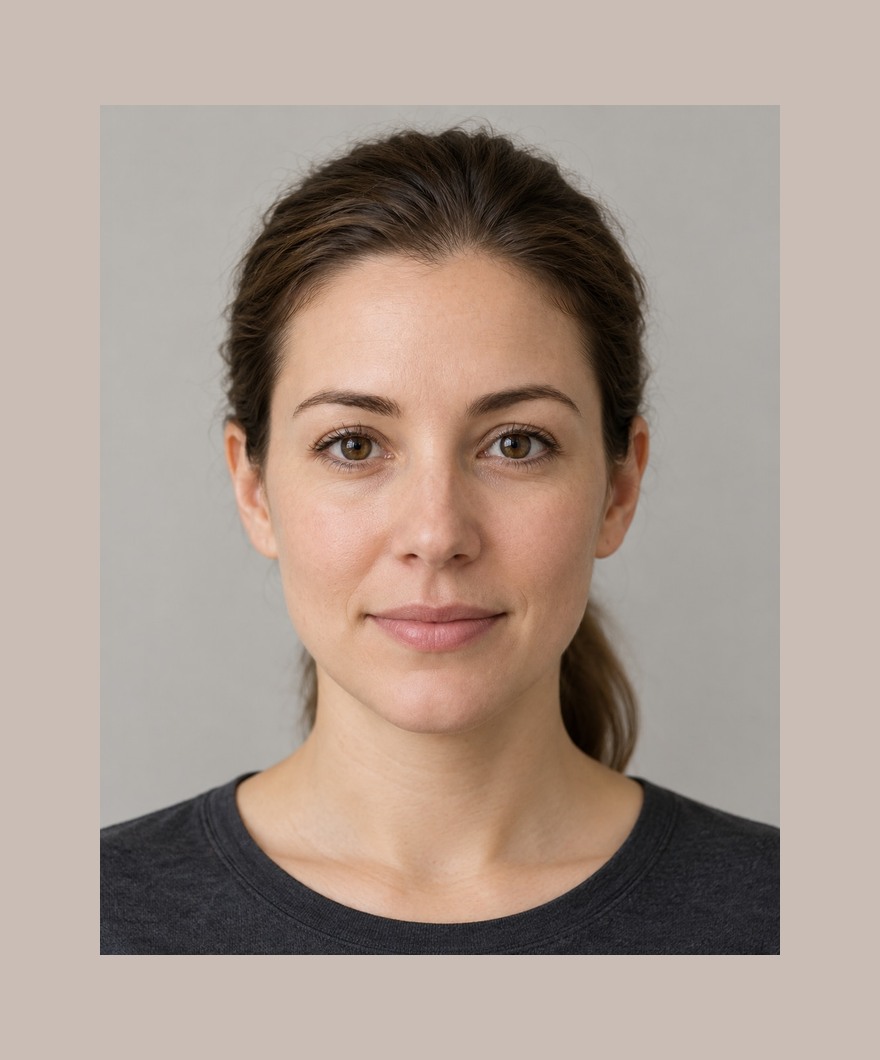
- Head roll correction
- 0.4°
- Face length / cheek width
- 1.237 : 1

- Head roll correction
- -16.1°
- Face length / cheek width
- 1.222 : 1
Solid line: detected nose bridge to chin. Dashed line: vertical reference. The sign follows FaceRater’s correction convention.
Start with a level photo. If you test light or styling next, keep the rest of the setup consistent. Small ratio differences can come from landmark placement and image preparation.
Keep the setup simple
Use one adult subject and a relaxed expression. Place the camera around eye level, look straight toward it, and leave the full visible forehead, cheek edges and chin inside the frame. Keep both eyes and brows clear.
Use soft, even light so the face retains visible detail. Avoid a bright light behind you, heavy shadows, beauty filters or smoothing. Start with the original sharp image rather than enlarging a tiny copy or a screenshot.
- Clean the camera lens and choose an evenly lit location.
- Keep the camera position and distance comfortable and repeatable.
- Take a front-facing photo with the same expression you plan to compare later.
- Check that the entire face and both open eyes are visible before uploading.
Use the retake message as a next step
If the photo is too dark or washed out, change the light. If it looks blurred or blocky, use a sharper original. If an eye region has very little visible detail, remove the obstruction and make both eyes clear. If a feature is outside the frame, step back or reframe.
FaceRater also rejects zero or multiple detected faces and near-closed eyes. Other pose warnings can accompany a measured result. A passed screen does not certify every feature is accurately located, so inspect the overlay and follow any retake note.
Make a repeat photo comparable
Keep the device, distance, camera height, lighting, framing and expression similar. Changing several conditions at once makes it hard to interpret a changed reading. In-plane roll correction cannot recover the hidden geometry of a turned head.
A repeat scan is a new estimate from a new image. FaceRater has not established a clinical or population threshold for a meaningful change. Use small differences as a reason to inspect the photos, rather than as proof that a face changed.
Choose what you keep
The scan runs in your browser and prepares a JPEG with image metadata removed. You can choose a device copy, or separately confirm a private cloud copy with a verified account. Signing in alone does not upload the photo.
My reports separates device and account copies. Removing one does not remove the other or a file you downloaded. A cloud removal closes access first and shows Complete only after the storage task finishes.
Start with your own clear photo.
The free scan runs on your device. No account or card is needed to see the available readings.
Check my photo with a free scan Explore the measured synthetic sampleQuestions about this guide
Can I use glasses?
Use a photo where both eyes remain clearly visible. The checks do not reliably classify every kind of lens, glare or opaque covering; retake without an obstruction when detail is unclear.
Will the tool correct a side photo?
It corrects in-plane roll for measurements. It does not reconstruct a true front view or measure the hidden side of a face.
Can I try it without a camera permission prompt?
Yes. Choose a JPG, PNG or WebP from your device. Camera permission is requested only when you choose Use camera.
Method and sources
Measurement definitions, bands, weights and photo checks in this guide describe FaceRater’s current product implementation. They are not clinical recommendations. See our method and photo privacy and data controls.
The underlying landmark detector is documented in Google’s MediaPipe Face Landmarker guide ↗. That documentation describes landmark detection, not FaceRater’s scoring formula.